Webex Meetings

Features of Webex Meetings
Automatically Removes Background Noise
Webex allows users to hold or attend online meetings anywhere. Be that as it may, there's no need to worry about speaking in a full-of-noise environment as the app has a feature of background noise cancellation.
Gestures Recognition
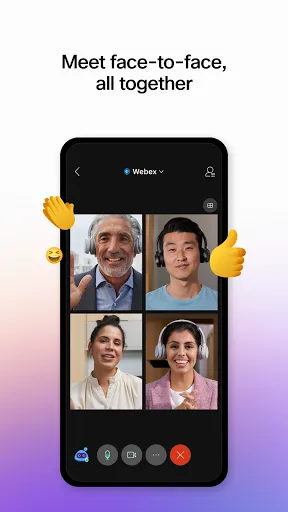
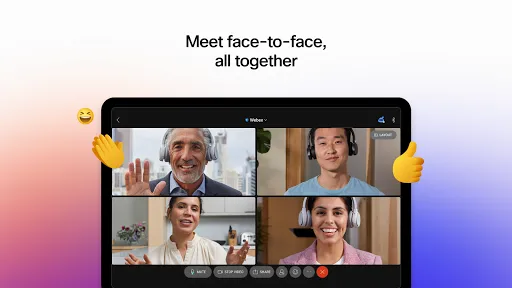
Use simple hand gestures to express yourself without saying a word! It automatically turns your gestures into emojis!
Automatic Transcription
Say whatever you want and leave all the note-taking to the Webex Meetings. Get the transcript after a meeting in the cloud!
Tips
🔇 Use the "mute" feature to prevent unwanted noise.
It could be annoying to hear unwanted noise constantly in a meeting. Well, that's the time to use the "mute" feature to prevent all the noises. If you're the host, it's allowed to either mute yourself when other participants are speaking or, by contrast, mute the others.
📝 Send an agenda along with the meeting invite.
When attending a meeting, most participants don't know what's going to happen and what to discuss other than the host. While sending an agenda containing the main points of the meeting helps a lot. In Webex, hosts are allowed to add an agenda directly to the meeting invite, which definitely enhances everyone's productivity.
😜 Record the meetings.
The app allows every user to record the meeting in an MP4 format so that you can upload the video for someone absent from the meeting or simply want a record. By the way, always ask for permission when there are other participants.
👻 Use the "Virtual Backgrounds" feature to hide the actual background.
Don't want to show your real background while attending video calls? Webex covers your need! It allows users to enable "Virtual Backgrounds" and "Background Blur" features from the desktop app. You can either set a virtual background from the preview window before joining or during the meeting. Just click on the "Change Background" button and select a background from the menu.
👍 Make gestures to express yourself.
On Webex Meetings, other than making facial expressions, you can try to express ideas by gestures. Of course, you're allowed to make a thumb-up everywhere, but Webex Meetings recognizes your gesture and shows an emoji of the gesture to respond. It emphasizes your emotion to other participants, as when you make a thumb-up, they get two!
FAQ
Why does it freeze all the time when I'm having a meeting?
You might reconnect to the internet as it might fall on the Wi-Fi connection. Either you or other participants can view the network quality status in the indicator center during a meeting.




Ratings
Similar Apps








Top Apps