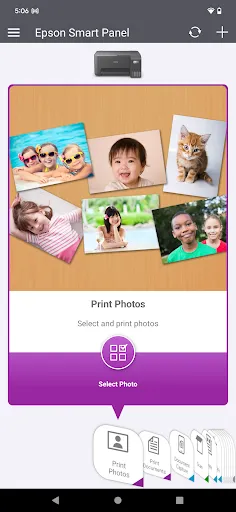
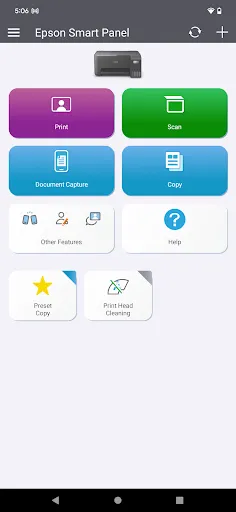
Features of Epson Smart Panel
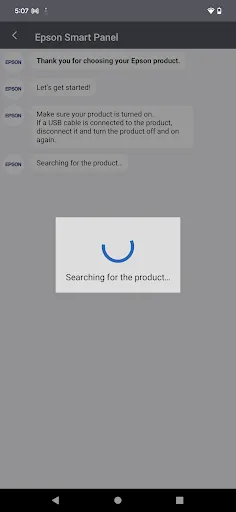
One-Click Matching
Make sure your Epson device and mobile device are on the same wireless network connection. Next, you can quickly search for the corresponding device on the Epson Smart Panel app and connect and pair it with one click.
All-in-one Monitoring
You can monitor the operating status of all your paired Epson devices on the Epson Smart Panel. No more getting criticized by your supervisor for not changing cartridges for your printer on time!
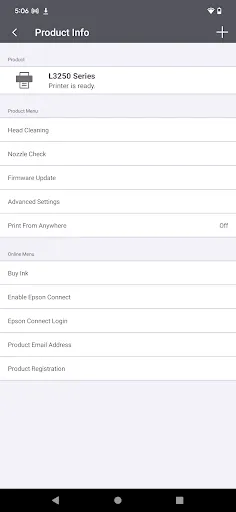
Support You Need
In the Epson Smart Panel, you'll find guides and user question feedback for all supported Epson devices to help you better use them and troubleshoot common problems. You can also upgrade the firmware for your device through the Smart Panel.
Tips
🧾 Check the list of supported products.
Suggest that users visit the support website to ensure their Epson product is supported by the app before attempting to use it.
Pros & Cons
- Easy matching
- Convenient mobile control
- Comprehensive support
Ratings
Similar Apps










Top Apps