X

Features of X
Learn About The World
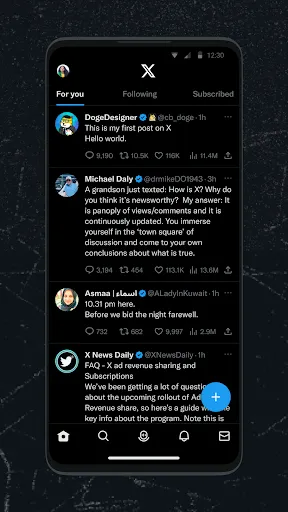
Twitter is home to celebrities, stars, politicians, and more from around the world, so you can keep up with what's going on around the world, follow the big names, and get involved in big discussions.
Get The Latest News
You can find all kinds of hot topics and news headlines on Twitter. You won't miss any news, including sports event coverage, entertainment information, global news, and more. Twitter provides you with the latest news coverage every day.
Fun Social Media
You can find interesting people and funny content on Twitter. You can spend your time on Twitter by browsing popular stories, jokes, funny videos, and more. You can also participate in discussions about interesting things or post your thoughts and opinions.
Tips
⏳ Schedule Tweets for posting at a good time.
Sometimes you'll come up with some good Tweets but feel like it's not a good time to post them as most viewers might be busy at work or sleep. At this time, you might consider scheduling Tweets using third-party apps and tools for a later post. Then, the Tweets will be seen at the best time!
🚨 Activate "Sensitive Content" to remind viewers.
If you're tweeting some content that isn't suitable for general consumption, activate the "Sensitive Content" option in settings. Then, if users have marketed the content as "Sensitive Content," it will remind other users before seeing it.
🙅🙅♂️ Make sure you want to show where you're posting from or delete the location information.
When adding Tweets, the "Geotagging" feature might be active by default. But what if you don't want people to know where you are or tweeting from? Just delete the geotagging before posting, or you can head to "Settings" and deactivate the feature under the option "Tweet location."
😉 Use advanced search to find things more accurately.
We usually search Tweets by hashtags, which people can add freely, leading to loads of unrelated search results. However, you can take things a step further by using the advanced search. When viewing a search result, tap the cog icon at the top of the Tweet. Then you can filter by words, accounts, and locations to find what you want.

Ratings
Similar Apps












Top Apps